Google Rankings Dropped? Don't Blame an Algorithm Update Until You've Checked These Things
Updated: Oct 11
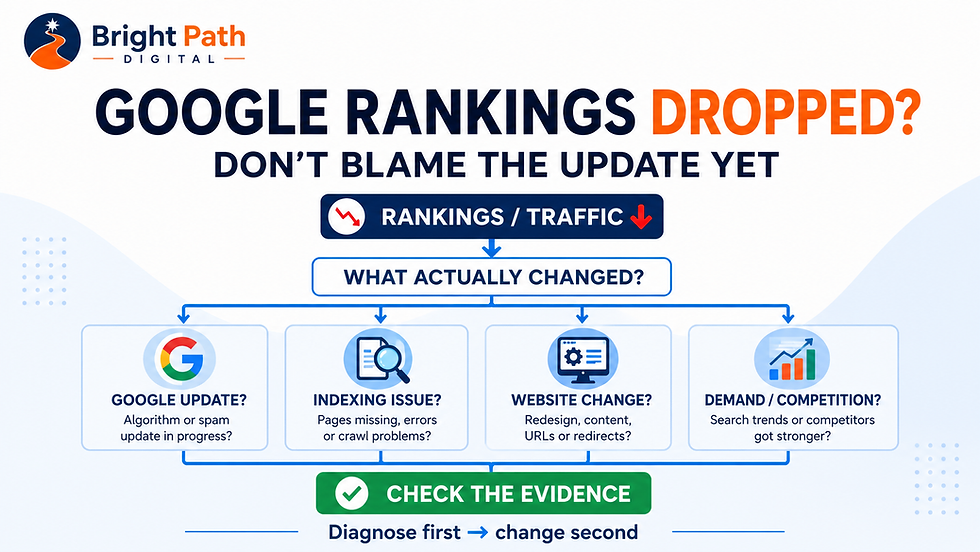
If your Google rankings suddenly drop, it is tempting to blame the latest algorithm update.
Sometimes an update may be involved.
But timing alone does not prove that Google has penalised your website, and making major changes before you understand what actually happened can make the problem harder to diagnose.
That is particularly relevant while Google's September 2026 spam update is still rolling out.
Google began the September 2026 spam update on 24 September 2026. Google says the update applies globally and to all languages, and that the rollout may take up to two weeks to complete.
At the time of writing, Google's Search Status Dashboard has not yet published a completion update for the rollout.
Google has not announced a new spam policy alongside this update, identified one specific type of website being targeted or provided website owners with a new list of things they suddenly need to change.
So if your rankings, clicks or enquiries have fallen during the rollout, the sensible question is not:
“What did the September spam update do to my website?”
It is:
“What has actually changed, which pages and searches were affected, and what evidence do I have for the cause?”
That distinction can save a small business from making unnecessary—and sometimes damaging—changes while Google's systems may still be settling.
Current Google update: September 2026 spam update
Google began rolling out a new spam update on 24 September 2026. It applies globally and to all languages, and Google says the rollout may take up to two weeks.
Google has not announced a new spam policy or confirmed that this update targets a particular type of content, website, backlink or use of AI.
If your Search Console data changes during the rollout, record what changed but avoid making major speculative changes purely because the timing overlaps with the update. First identify which pages and searches were actually affected.
Current Google Update: September 2026 Spam Update
Status: Still rolling out
Google began the September 2026 spam update on 24 September 2026.
The update:
applies globally
applies to all languages
affects Google's spam-detection systems
may take up to two weeks to complete
Google has not announced a new spam policy specifically for this rollout.
If Search Console performance changes during the update, identify which pages, queries and search types changed before making broad site-wide alterations.
If you discover a concrete problem—such as an accidental noindex setting, broken redirect, server error or manual action—fix it.
If the only evidence is temporary ranking movement during an active rollout, avoid rewriting the entire website based on speculation.
Google Rankings Dropped: Does That Mean an Algorithm Update Caused It?
No.
A ranking drop occurring around the same time as a Google update is something worth investigating, but it is not proof that the update caused the decline.
Search performance changes constantly.
Your visibility can change because:
Google reassesses competing pages
a competitor improves its website
customer search behaviour changes
demand becomes seasonal
pages are added or removed from your website
URLs or redirects change
important pages become difficult to index
website content changes
Google changes how search results are displayed
analytics or tracking stops working correctly
an algorithm update changes how pages are assessed
Several of those things can happen at the same time.
That is why diagnosis matters more than assumption.
Google itself recommends looking at technical issues, security problems, spam issues, algorithmic changes, seasonality and website changes when investigating lost search traffic. Its official guide, Debug drops in Google Search traffic, is a useful starting point.
Why Rankings Can Move Before Google Announces an Update
One confusing aspect of Google updates is that website owners and SEO professionals sometimes report ranking volatility before Google officially announces an update.
That does not necessarily mean the announced update secretly started several days earlier.
Google's John Mueller has explained that Google's search systems are continually processing changes across the web.
Websites change.
Pages are published.
Pages disappear.
News stories become important.
Search behaviour changes.
Competitors improve their content.
Google's systems have to respond to those changes continuously.
Google also has many systems that update automatically. Larger or broader changes may receive a public announcement because that additional context can help website owners interpret substantial changes in their search data.
An update announcement is therefore useful evidence.
It is not, by itself, a diagnosis.
Spam Update, Core Update and Manual Action Are Not the Same Thing
These terms are often grouped together as “Google penalties”, but they describe different things.
Google core update
A core update is a broad change to Google's search systems intended to improve which pages it considers useful and relevant.
Your page can lose rankings during a core update without breaking a Google rule.
Another result may simply be assessed as more useful, relevant or trustworthy.
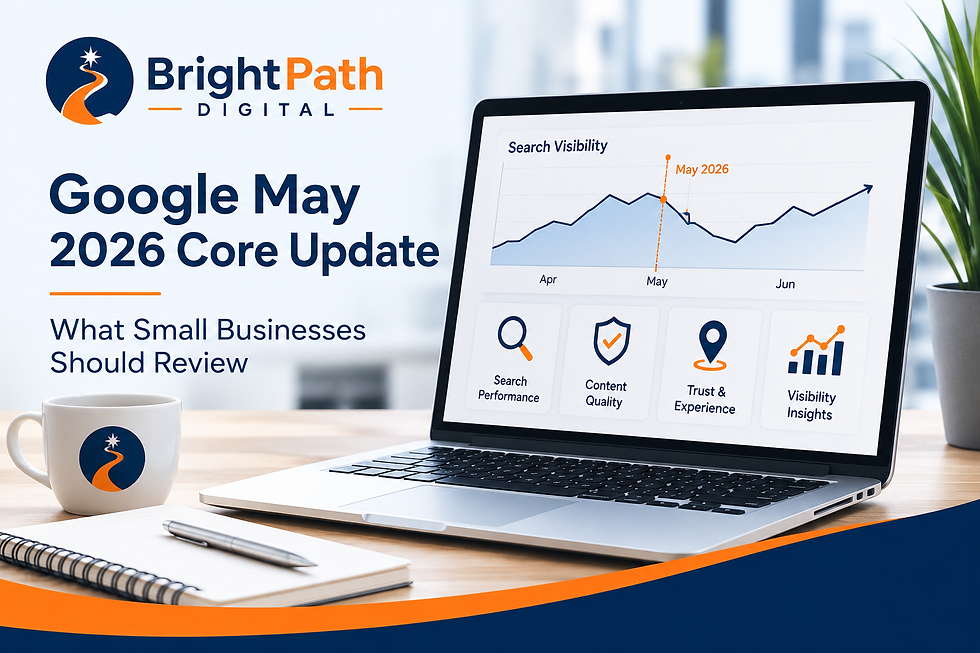
For more background, read our Google May 2026 Core Update: What Changed and What Small Businesses Should Review.
Google spam update
A spam update relates more specifically to Google's systems for identifying practices that violate its spam policies.
Google uses automated systems to detect spam and periodically makes broader changes to those systems.
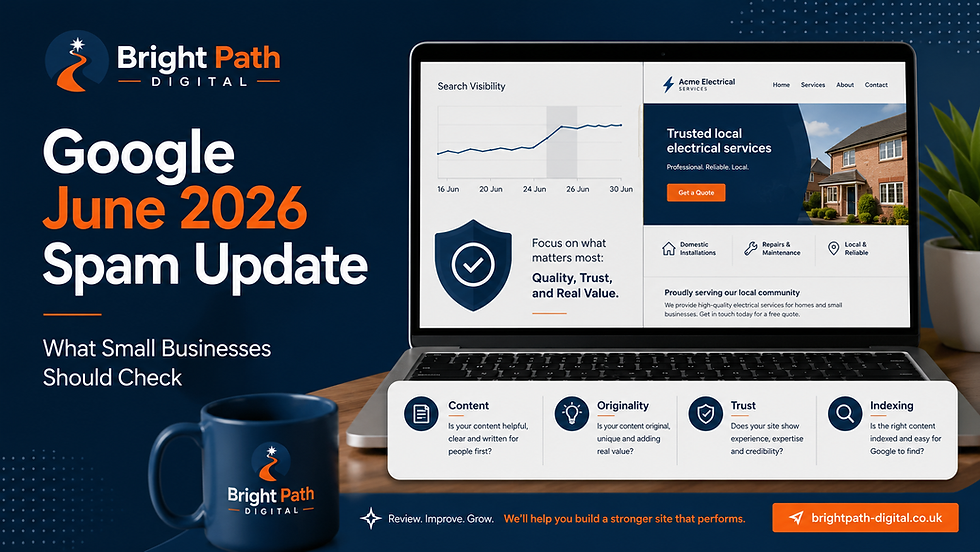
Our Google's June 2026 Spam Update: What Small Businesses Should Check Now guide explains practical issues legitimate small businesses should review, including repetitive content, weak location pages, scaled publishing and content created mainly to attract search traffic.
You can also read Google's own Spam Policies for Google Web Search for the definitive list of practices Google considers spam.
Manual action
A manual action is different again.
Google can use human reviewers when assessing spam-policy violations. If Google takes a manual action against your website, the issue can appear in the Manual Actions report in Google Search Console.
Google explains the distinction between automated spam systems and manual actions within its Spam Policies for Google Web Search.
So if somebody tells you:
“Google has penalised your website.”
ask what evidence supports that statement.
A rankings decline is not automatically a penalty.
What Is Site Reputation Abuse?
One specific type of manual action worth understanding is site reputation abuse.
This is not simply a website publishing a guest article, working with a contributor or hosting useful third-party content.
Google's concern is more specific: third-party content being published on an established website primarily so that the content can benefit from the host site's existing reputation and rank more strongly in Google Search.
A simple example might be a well-established website allowing an unrelated third party to publish large sections of commercial content primarily because the host domain already has strong search visibility.
For most genuine small-business websites, this is unlikely to be the first explanation for a sudden rankings decline.
However, it becomes more relevant if your website contains substantial content that:
was produced or controlled by another organisation
has little connection to your normal business
exists primarily to attract search traffic
promotes third-party products or services
has been added because your existing domain is already trusted or well established
Google updated its site reputation policy in August 2026 and confirmed that enforcement can involve manual actions.
For UK businesses, there is another important detail.
Google now applies these particular manual actions differently depending on where the person searching is located. For searchers outside the European Economic Area, including the UK, the affected section of the website can be directly impacted in Google Search while the remainder of the site is not.
If Google takes a manual action against your website, you should receive information within the Manual Actions report in Google Search Console.
That is another reason not to diagnose a ranking decline purely from guesswork.
Check the evidence first.
And don't assume that simply publishing guest posts, partner contributions or third-party material automatically violates Google's policy. The issue is whether content is being used primarily to exploit the host website's established search reputation.
First Check Whether You Actually Lost Search Visibility
This sounds obvious, but it is one of the most important steps.
A business owner might say:
“Our Google traffic has collapsed.”
But the underlying data could show several completely different situations.
Impressions and clicks both fell
Your pages may genuinely be appearing less often in Google Search.
That warrants a visibility investigation.
Impressions stayed similar but clicks fell
Your visibility may not have disappeared.
Potential causes include:
lower click-through rates
different search-result layouts
stronger competitor titles
changes in search intent
people getting answers directly from search results
That requires a different response from losing rankings completely.
If your Search Console property has Generative AI performance data, check that separately as part of the diagnosis.
Google can now report impressions from its generative Search experiences, although the report currently does not include click data.
A change in AI visibility may therefore provide useful context when conventional clicks are moving differently from overall visibility.
But do not jump from:
“AI impressions increased”
to:
“AI caused our traffic to fall.”
The data does not prove that.
Treat it as another piece of evidence alongside rankings, ordinary Search impressions, click-through rate, search demand, competitors, result-page changes and website analytics.
Search Console looks stable but Google Analytics traffic fell
Before rewriting your website, check the analytics setup.
A tracking problem, consent change, tag failure or reporting configuration could create an apparent traffic decline when Google visibility has not changed significantly.
Traffic looks normal but enquiries fell
That may not primarily be an SEO problem at all.
Review:
calls to action
forms
telephone links
booking routes
pricing or offer changes
website credibility
mobile usability
the quality of the traffic arriving
If traffic remains healthy but enquiries have dropped, our Conversion & Customer Journey Audit focuses specifically on the public-facing parts of the website that influence whether visitors take action.
The point is simple:
Diagnose the thing that actually changed.
Do not optimise rankings when the real problem is conversion.
Don't Treat a Third-Prty Rank Tracker as the Final Answer
SEO ranking tools can be useful for spotting changes, but they are not Google Search Console.
If a rank-tracking platform suddenly reports that dozens of keywords have disappeared, do not immediately assume your website has lost those rankings.
First check whether the same pattern appears in Google Search Console.
This matters because third-party SEO tools have to collect their own information from Google's search results, and changes to the way Google delivers those results can sometimes affect how easily those tools collect or interpret the data.
For example, in August 2026 Google confirmed that it was rolling out new /goto passthrough URLs within Search results as part of technical measures designed to protect its services against abuse.
That kind of change does not mean your website has suddenly lost visibility.
But changes to Google's search-result infrastructure can potentially make automated result collection more difficult for the third-party tools attempting to measure rankings.
So if your ranking software shows a sudden decline, compare the evidence:
Has Google Search Console also recorded lower impressions?
Have clicks fallen?
Has average position changed for the affected searches?
Are the same pages still receiving impressions?
Is the reported decline visible across more than one source of data?
If Search Console remains broadly stable while one external rank tracker reports a dramatic drop, investigate the measurement tool before rewriting your website.
Third-party tools are useful indicators.
Your own Google Search Console data should normally carry more weight when diagnosing what has actually happened to your website in Google Search.
Check Whether Search Console Has a Known Reporting Problem
Before changing your website because a Search Console graph suddenly falls, check whether Google has reported a data anomaly, Google's Search Console data anomalies page.
Search Console is extremely useful, but its reports are still generated from Google's own logging and processing systems. Those systems can occasionally experience reporting errors.
In August 2026, for example, Google confirmed a logging problem that reduced reported impressions in its Generative AI performance report from 13–17 August. Google explicitly said the issue affected reporting rather than actual Search visibility, and the missing data was subsequently restored.
That distinction matters.
If Search Console appears to collapse but:
Google Analytics traffic remains broadly stable
enquiries remain stable
conversions remain stable
important pages remain indexed
other search indicators have not moved similarly
then investigate the reporting data before assuming your SEO has failed.
One unusual graph should start an investigation. It should not automatically trigger a website rewrite.
Use Google Search Console Before You Start Changing Pages
Google Search Console is one of the most useful places to investigate an apparent search decline.
Start with the Performance report.
Compare a meaningful period before and after the decline and look at:
total clicks
total impressions
click-through rate
average position
individual pages
individual search queries
device type
search type
Do not judge the situation from one headline number.
Our Google Search Console Monthly Checklist for Small Businesses explains the main reports and checks in more detail.
If your performance is broadly stable and you are looking for growth rather than diagnosing a decline, see how to find SEO opportunities in Google Search Console for a different workflow focused on searches where you already have some visibility.
Look for patterns
Ask:
Did every page decline?
If not, identify which pages did.
For example:
only blog posts
only service pages
one particular service
one location
recently changed pages
older articles
mobile searches
a particular group of queries
A site-wide decline and one page losing rankings are completely different problems.
Treating them the same is poor diagnosis.
Check Whether Important Pages Are Still Indexed
Before investigating sophisticated algorithm theories, eliminate simple problems.
Check that your important pages can still appear in Google.
This is particularly important after:
a website redesign
a platform migration
major page changes
URL changes
redirect work
changes to SEO settings
If the decline affects PDF files rather than normal website pages, do not assume the file format itself has been penalised. Our guide to PDF vs web page for SEO explains when a PDF is appropriate and when important information is better supported by a normal HTML page.
A useful service page can have excellent content and still lose visibility if Google cannot properly crawl or index it.
Check:
indexing settings
canonical URLs
redirects
deleted pages
broken internal links
sitemap inclusion
robots controls
URL changes
Our guide Why Is My Business Not Showing Up on Google? covers the most common visibility and indexing checks for small businesses.
If the Page Indexing report specifically shows Discovered – currently not indexed or Crawled – currently not indexed, our dedicated guide explains why those two statuses require different investigations.
If you use Wix, our SEO Settings for Small Businesses: How Local Customers Find You article explains the main page settings worth reviewing.
Check What Changed on Your Own Website
One of the easiest mistakes is looking entirely at Google when your own website changed at roughly the same time.
Build a basic timeline.
Record:
when the decline began
Google update dates
website redesigns
page rewrites
new pages
deleted pages
URL changes
redirects
navigation changes
platform changes
tracking changes
changes to your main services
significant competitor activity you noticed
Then compare the dates.
Imagine traffic fell shortly after ten service URLs were changed during a redesign.
The fact that a Google update happened during the same month does not make the update the best first explanation.
Investigate the strongest evidence first.
Check Whether Search Demand Changed
Sometimes your rankings have not failed.
Fewer people are searching.
This is especially relevant to seasonal products and services.
Examples might include:
gardening services
Christmas products
holiday businesses
school-related services
heating and cooling
event services
seasonal retail
Google specifically recommends investigating changing interests and seasonality when diagnosing lost search traffic in its guide to debugging Google Search traffic drops.
If impressions fall across several searches in the same market, the problem may not be that Google suddenly dislikes your website.
Customer demand may simply have changed.
Google Trends can help you investigate that possibility rather than guessing. Our guide to using Google Trends for small business explains how to compare search interest over time, identify seasonal patterns and distinguish changing customer demand from a problem affecting your own website.
Check the Search Results Themselves
Google Search is not a static list of ten blue links.
Results can include:
maps
business profiles
shopping results
images
videos
featured information
AI-powered search features
forums
news
other specialist search elements
A page could maintain a reasonably similar ranking position but receive fewer clicks because the results surrounding it changed.
That is another reason not to reduce every performance decline to:
“Our SEO stopped working.”
Look at the actual search journey.
What is Google showing?
What is the customer seeing?
And what is competing for their attention before they ever reach your website?
Check Whether Competitors Became Better
SEO analysis often becomes too inward-looking.
Your page does not rank in isolation.
If another business publishes a substantially better page, Google may have good reason to prefer it.
Look at the results now appearing above you.
Do they provide:
clearer service information?
better examples?
genuine photographs?
useful pricing information?
stronger local relevance?
better explanations?
more convincing evidence?
easier navigation?
clearer expertise?
better answers to customer questions?
Do not simply copy what they wrote.
Identify the gap.
Then decide whether your page genuinely deserves improvement.
Don't Automatically Blame AI-Written Content Either
Following spam updates, another common assumption appears:
“Google must have detected that the page was written using AI.”
That oversimplifies Google's guidance.
Google's spam policies focus on manipulative behaviour, including scaled content created primarily to influence search rankings.
The important questions are more practical:
Is the content accurate?
Is it original?
Is it useful?
Does it reflect genuine business knowledge?
Does it contain evidence?
Has somebody competent reviewed it?
Was it created for customers or mainly to capture another keyword?
Our guide Is AI-Written Website Content Automatically Considered Spam by Google? explains this distinction in detail.
Google's own spam policies also make clear that the concern is manipulative behaviour such as scaled content abuse, rather than simply whether a particular writing tool was used.
Using an AI tool is not a substitute for judgement.
But neither is removing useful content simply because AI helped produce the first draft.
Should You Change Your Website During a Google Update?
Not every change should wait.
If you discover a genuine technical fault, fix it.
For example:
an important page has accidentally been set to noindex
redirects are broken
key pages return errors
important content has disappeared
tracking has stopped working
your website has a security issue
Those are concrete problems.
Fix concrete problems.
What you should avoid is making dozens of speculative changes because rankings moved for a few days.
That might include:
rewriting every service page
deleting useful articles
changing all your page titles
removing legitimate internal links
creating dozens of new pages
buying backlinks
replacing content that was performing perfectly well
While a Google update is still rolling out, rankings may continue moving.
Changing everything at the same time also destroys your ability to understand which change helped, hurt or made no difference.
What About the September 2026 Spam Update?
Google began rolling out the September 2026 spam update on 24 September 2026.
Google says the update applies globally and to all languages and may take up to two weeks to complete.
At the time of writing, Google's Search Status Dashboard still lists the rollout as Active.
That timing matters if you are investigating a recent traffic or ranking change.
During an active rollout:
rankings can continue moving
different pages may be affected at different times
a few days of data may not represent the final position
changing many things simultaneously makes diagnosis harder
What Google has not announced is equally important.
Google has not said:
AI-written content has suddenly become spam
every website using AI has been penalised
local-business websites are specifically being targeted
a particular backlink type has suddenly become prohibited
Wix or another website platform is being targeted
every website experiencing volatility has violated a policy
Google's existing Spam Policies for Google Web Search remain the correct reference point.
Those policies already cover practices such as:
scaled content abuse
link spam
doorway abuse
scraping
cloaking
expired-domain abuse
site-reputation abuse
misleading practices
So do not try to reverse-engineer a secret September rule from a handful of websites that lost traffic.
Instead ask:
Did my website actually violate one of Google's published spam policies?
and:
What does my own Search Console data show changed?
If the answer to the first question is:
No obvious policy problem
then continue investigating other explanations such as:
indexing
website changes
seasonality
competitors
search-result layout changes
customer demand
tracking problems
rather than automatically assuming a penalty.
Google's official status page should remain the source for deciding when the rollout has actually completed.
What Happened With the August 2026 Spam Update?
Google's previous spam update began on 18 August 2026 and completed after roughly 2 days and 16 hours, according to Google's Search Status Dashboard.
That update also applied globally and did not come with an announcement that one specific content type, industry or platform had suddenly become spam.
The practical lesson from August remains useful:
an update date is evidence worth checking, but it is not proof that the update caused every traffic change occurring around it.
Your investigation should still begin with:
what changed
where it changed
and:
what evidence supports the explanation.
A Practical Checklist if Your Google Rankings Have Dropped
Before making major changes, work through this order.
1. Confirm the decline
Start with Google Search Console.
If a third-party SEO or rank-tracking tool reports a significant rankings drop, check whether Search Console shows the same decline in impressions, clicks, affected pages and search queries.
Do not make major website changes because one external tool reports a sudden movement that your first-party Google data does not support.
Google is also continuing to personalise parts of the Search experience based on individual interests and preferences. This is another reason why repeatedly searching Google from one device should not be treated as a reliable ranking report for every potential customer.
2. Identify when it started
Look for a clear date or gradual trend.
3. Identify what was affected
Pages, searches, devices, locations or the whole website?
4. Check Google's official update status
Use the Google Search Status Dashboard to see whether a confirmed ranking or spam update was running at the time.
If the update is still marked Active, record the date and avoid treating short-term volatility as the final outcome. Recheck the same pages and queries after Google confirms the rollout has completed.
5. Check indexing and technical basics
Make sure important pages remain accessible and indexable.
6. Review your website change history
Look for redesigns, URL changes, rewritten pages or redirects.
7. Check search demand
Could seasonality or changing customer behaviour explain part of the decline?
Google's search traffic drop guidance recommends looking at wider search trends as part of the investigation.
8. Review competitors
What pages now appear above yours, and are they genuinely more useful?
9. Check Search Console for manual actions and security issues
Open the Manual Actions and Security Issues reports in Google Search Console.
If Google has taken a manual action, including one relating to site reputation abuse, Search Console should provide information about the issue.
Do not describe an ordinary rankings decline as a Google penalty unless you have evidence that a penalty or manual action actually exists.
10. Decide what actually needs changing
Fix the problem supported by the evidence. Not the problem suggested by the latest headline.
Once you have identified several genuine issues, our guide to prioritising SEO fixes helps you decide what to address first based on business importance, severity, evidence, effort and change risk.
When Does a Website SEO Review Help?
A public-facing SEO review can still identify important weaknesses.
BrightPath Digital's SEO and Local Visibility Audit reviews areas including:
page structure
headings
service content
location relevance
internal links
content gaps
visible SEO foundations
That can help identify website weaknesses worth improving.
But there is an important distinction.
A public-facing website audit cannot prove exactly why historic rankings or traffic changed.
A proper traffic-loss investigation may require evidence from:
Google Search Console
website analytics
website change history
indexing reports
manual-action reports
security reports
historical page performance
Be cautious of anybody claiming they can prove that a Google algorithm update caused your traffic loss simply by looking at the public website.
That is an assumption, not a diagnosis.
Final Thoughts
Google updates matter.
But they should not become the explanation for every movement in your website traffic.
Google's systems are constantly changing.
So are websites.
So are competitors.
So are customers.
If your Google rankings drop, start with evidence.
Work out whether you lost impressions, rankings, clicks, traffic or enquiries.
Identify the pages and searches affected.
Check technical and indexing issues.
Review what changed on the website.
Consider demand and competition.
Check for confirmed Google updates.
Then decide what deserves improvement.
Google update → investigate the evidence → identify the cause → make the right improvement
That is far more useful than reacting to every algorithm headline.
If your website has visible SEO weaknesses and you want a practical starting point, BrightPath Digital's Website Audit & Improve service can review your public-facing website for SEO foundations, service clarity, local relevance, internal linking, customer journey and conversion weaknesses.

Comments