How Clear Messaging and Trust Signals Boost a Small Business Website
Updated: Oct 2
A small business website has only a few seconds to make sense.
A visitor should quickly understand what you do, who you help, where you work, why you are credible and how to contact you.
This guide focuses on the wording and proof points that help a visitor feel confident enough to enquire. If your wider issue is low enquiries, poor traffic, weak calls-to-action or mobile friction, read our full guide on Why Your Small Business Website Is Not Getting Enquiries.
For the technical SEO settings behind each page, read SEO Settings for Small Businesses. For wider local visibility, read Local SEO Checklist for Small Businesses.

5-minute self-check: is your website clear and trustworthy enough?
Before rewriting your website or paying for more advertising, take five minutes to look at your homepage as if you were a new customer.
Ask yourself:
Can I tell what the business does within a few seconds?
Is it clear who the service is for?
Is the location or service area obvious?
Can I quickly see why someone should trust the business?
Are reviews, testimonials, examples or proof points visible?
Is there a clear next step, such as calling, enquiring, booking or requesting a quote?
Are contact details easy to find on mobile?
Does the wording sound natural, specific and helpful?
Are there any spelling mistakes, broken links or outdated details?
Does the website feel current, active and well maintained?
If the answer to several of these is “no” or “not clearly enough”, your website may not need a full rebuild. It may simply need clearer wording, stronger proof and a smoother enquiry journey.
If you are unsure what is holding your website back, you can explore the Copy, Trust & Credibility Audit and receive a clear, practical action plan showing what to improve first.
Page or area | Useful trust signals |
Homepage | Reviews, clear service area, real business details, examples of work |
Service pages | Relevant testimonials, case studies, process information, guarantees or qualifications |
About page | Named people, experience, background, photographs and business story |
Contact page | Phone number, email address, location or service area, response expectations |
Near enquiry buttons | Reviews, reassurance, pricing guidance or a simple explanation of what happens next |
What does clear website messaging mean?
Clear website messaging means a visitor can quickly understand the basics of your business without having to work hard.
Within a few seconds, your website should explain:
what your business does
who you help
where you operate
what problem you solve
why someone should choose you
what they should do next
This does not mean using complicated marketing language.
In fact, simple wording is often stronger.
A local customer looking for a service does not usually want vague phrases such as “bespoke solutions”, “high-quality outcomes” or “customer-focused excellence” unless those claims are supported by specific information.
They want to know whether you provide the service they need, whether you cover their area and whether you look like a genuine business they can trust.
That distinction matters even more now that AI can produce polished, professional-sounding marketing copy in seconds. Our guide to AI and Customer Trust: AI Can Make Every Business Sound Professional—So Who Do Customers Trust? explains why claims such as “professional”, “trusted” and “experienced” are becoming weaker evidence on their own — and why real reviews, real work, named people and genuine experience increasingly matter.
For example, instead of saying:
“We provide professional solutions for domestic and commercial clients.”
A clearer version might be:
“We provide website design, website reviews and practical digital support for small businesses, sole traders and local service providers across Cheshire, Merseyside and North Wales.”
That sentence gives the visitor more useful information. It explains the service, the audience and the location.
Why clear messaging matters for small businesses
Small business websites often have to work harder than larger brand websites.
A customer may not already know your name. They may not have seen your work before. They may be comparing you against other local businesses. They may also be cautious about whether the business is still active, reliable and suitable for their needs.
Clear messaging helps reduce that uncertainty.
It can make your website feel:
easier to understand
more professional
more relevant to the customer
more useful in search results
more likely to generate enquiries
If your website is already live but not generating enough enquiries, this may be one of the first areas to review.
What are trust signals on a small business website?
Trust signals are the details that make a website feel credible, active and safe to contact.
They help answer the question many visitors are quietly asking:
“Can I trust this business?”
Trust signals can include:
clear contact details
a real business name
a professional email address
consistent branding
customer reviews
testimonials
examples of previous work
case studies
photos of real projects, products, premises or team members
qualifications, accreditations or memberships
clear service descriptions
pricing guidance where appropriate
privacy and cookie information
a secure website connection
up-to-date content
working links and contact forms
None of these needs to be complicated.
The aim is to show that the business is genuine, organised and easy to deal with.
Send-A-Scene provides a useful practical example. A customer encountering the product for the first time can see examples of the finished concept, understand how personalised cartoon videos are created, check transparent pricing and read detailed customer FAQs before deciding whether to order. Each step removes another piece of uncertainty from the buying decision.
Pricing is one of the clearest examples of information that can reduce uncertainty when it is used well. Our guide to whether you should put prices on your small business website explains when fixed prices, starting prices, ranges or bespoke quotations make the most sense.
You can also see examples of how small businesses have improved their digital presence by visiting our Client Stories.

Why do people visit a website but not enquire?
A visitor may land on your website and still decide not to contact you.
This does not always mean the service is wrong or the visitor was not interested. Sometimes the page simply does not give them enough confidence to take the next step.
They may be unsure what you offer, whether you cover their area, whether your business is active, or whether they can trust you.
That is why clear messaging and visible trust signals matter. They reduce doubt before the visitor leaves the page.
If you are unsure whether the issue is messaging, trust, search visibility or the enquiry journey, you can also request a Conversion & Customer Journey Audit.
How clear messaging and trust signals support local SEO and AI search visibility
Clear website copy also supports local SEO and AI search visibility because it gives search engines and answer tools clearer context about your business.
You do not need to repeat town names unnaturally or turn every page into an SEO checklist. Clear, specific, plain-English wording is stronger than vague marketing language or keyword stuffing.
Your pages should naturally explain your services, audience, location, experience and proof. That helps both customers and search tools understand where your business fits.
For a deeper look at this emerging area, read AI Visibility for Small Businesses: Is AI Recommending Your Business?
For the technical page settings behind SEO, read SEO Settings for Small Businesses.
For the wider local visibility picture, including Google Business Profile, reviews and local listings, read Local SEO Checklist for Small Businesses.
What should a small business homepage say?
Your homepage should answer the customer’s first questions quickly: what you do, who you help, where you work, why you can be trusted and what the visitor should do next.
Keep this short and direct.
If you are reviewing the homepage itself, our small business homepage checklist shows which sections to include, how to order them and where services, proof, trust signals and calls to action fit into the customer journey.
For a fuller breakdown of homepage, service, about, contact and location pages, read What Pages Does a Small Business Website Need?
What makes a small business website trustworthy?
A trustworthy small business website does not need to look expensive. It needs to feel clear, current and genuine.
Customers are often reassured by simple details, such as:
a clear business name
visible contact details
a service area
real reviews or testimonials
examples of work
a clear explanation of services
a short about section
professional branding
working buttons and forms
privacy and cookie information
consistent details across the website, Google Business Profile and social media pages
Small details create an overall impression. That impression can begin before somebody reaches your website at all. Our guide to why your brand is more than your logo explains how Google, reviews, social media and other online touchpoints can shape what customers think about your business before they visit your site.
A website that feels current, consistent and easy to understand will usually build more confidence than one that feels unfinished, vague or neglected.
Common messaging problems on small business websites
Many small business websites are created with good intentions but still leave visitors unsure.
Common problems include:
the homepage does not clearly say what the business does
the service descriptions are too vague
the website uses internal business language rather than customer language
the location or service area is unclear
the contact route is hidden or weak
the same message is repeated across every page
the website talks about being “professional” without showing evidence
there are no examples, reviews or proof points
old wording no longer reflects what the business now offers
These issues can affect both trust and enquiries.
A customer should not have to search through multiple pages to understand your business. The most important information should be easy to find and written in plain English.
Common trust signal problems
Trust signal issues are often small on their own, but together they can make a website feel less reliable.
Examples include:
no visible phone number or email address
no business location or service area
no reviews or testimonials
no examples of work
no information about the business owner or team
inconsistent fonts, colours or formatting
spelling and grammar mistakes
broken links
outdated blog posts or old service information
missing privacy information
contact forms that do not feel clear or reliable
A visitor may not consciously notice every issue. But they may still feel unsure.
That uncertainty can be enough to stop them making contact.
How to improve website messaging
Improving website messaging does not always mean rewriting everything.
Start with the key pages first.
For most small businesses, that means the homepage, main service pages, about page and contact page.
A useful approach is to check whether each important page answers these questions:
What is this page about?
Who is it for?
What service or problem does it cover?
Where is the service available?
Why should the visitor trust the business?
What should the visitor do next?
If a page does not answer those questions clearly, it may need stronger wording.
The homepage should normally give a clear overview of the business. Service pages should explain specific services in more detail. The about page should build credibility.
The contact page should make taking the next step easy.
How to add stronger trust signals
Trust signals should be practical and genuine.
Do not add claims just because they sound impressive. Add details that help customers make a decision.
Useful improvements may include:
adding recent customer reviews
showing examples of work
explaining your process
adding before-and-after examples where relevant
including qualifications or accreditations
making contact details more visible
adding a proper business email address
improving your about page
checking that all links and forms work
making sure business details are consistent across your website, Google Business Profile and social media pages
For service businesses, examples and reviews can be particularly powerful. Where those reviews appear also matters. See Where Should Customer Reviews and Testimonials Go on Your Website? for a page-by-page guide covering homepage, service, pricing, contact and enquiry-stage placement.
A decorator might show completed rooms. A dog groomer might show recent grooms.
A consultant might show case studies or client outcomes. A local manufacturer might show products, processes or quality standards.
Trust is easier to build when the website gives customers evidence.
Do you need a new website, or just better messaging?
Not every underperforming website needs to be replaced.
Sometimes a business needs a full redesign because the site is too dated, too limited or too difficult to manage.
But in many cases, the first step is a focused review.
A website may perform better with:
a clearer homepage message
stronger service page wording
better calls-to-action
more visible contact details
improved mobile layout
added testimonials or examples
clearer local wording
stronger title tags and meta descriptions
better internal links
updated images and alt text
Before investing in a rebuild, SEO campaign or paid advertising, it is worth understanding what is already working and what is holding the website back.
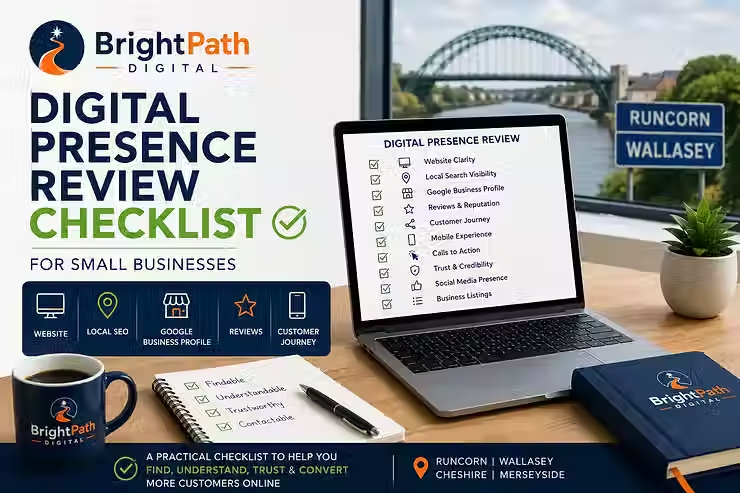
That is exactly what a Digital Presence Review is designed to do.
The best websites combine clarity and credibility
Clear messaging and trust signals work best together.
Clear messaging tells people:
“This is what we do.”
Trust signals tell people:
“You can feel confident contacting us.”
A website with clear wording but no proof may still feel weak. A website with strong reviews but unclear service information may still confuse visitors.
The best small business websites do both.
They explain the offer clearly and support it with evidence.
That combination can help improve:
first impressions
customer confidence
local relevance
enquiry rates
search visibility
the quality of leads coming through the website
This is especially important for small businesses that rely on local reputation, repeat customers, referrals and service quality.
Frequently asked questions
How can clear messaging boost a small business website?
Clear messaging helps visitors quickly understand what your business offers, who it helps, where it works and how to take the next step. This can reduce confusion, improve first impressions and make more visitors feel confident enough to enquire.
What trust signals should a small business website include?
Useful trust signals include clear contact details, reviews, testimonials, examples of work, business information, consistent branding, secure pages, professional email addresses, privacy information and up-to-date service details.
How do I make my small business website more trustworthy?
Start by making the basics clear. Show who you are, what you do, where you work, how people can contact you and why they can trust you. Add reviews, examples, service details, a short about section and working enquiry routes.
Why is my website getting visitors but no enquiries?
A visitor may leave without enquiring if the page feels unclear, vague or unsupported by enough evidence. This article focuses on improving clarity and trust. For the full enquiry diagnostic, read Why Your Small Business Website Is Not Getting Enquiries.
Do trust signals help with SEO?
Trust signals mainly help customers make decisions, but they can also support wider SEO and local visibility. Clear business information, useful service pages, reviews, local evidence and consistent details all help create a stronger digital presence.
Should I redesign my website or improve the existing one?
It depends on the condition of the current website. Some websites need a full rebuild, but many can be improved with clearer messaging, stronger trust signals, better mobile layout, improved SEO settings and a clearer customer journey. A review can help you decide what is worth fixing first.
Final thoughts
A small business website does not need to be complicated to be effective.
It needs to be clear, credible and easy to act on.
If visitors can quickly understand what you do, see evidence that they can trust you and know how to contact you, your website has a much better chance of turning interest into enquiries.
Before assuming you need a full redesign, it may be worth reviewing your messaging, trust signals and customer journey first.
A clearer website can often become a stronger website.
Want to know what your website may be missing?
If your website basically works but the wording feels vague, dated or inconsistent — or customers are not seeing enough evidence to trust the business — you may not need a redesign.
BrightPath Digital's Copy, Trust & Credibility Audit reviews your website copy, service descriptions, calls to action, testimonials, reviews and reassurance points from a potential customer's perspective.
You receive a practical report showing where the website could communicate more clearly and build stronger customer confidence.


Comments